




Our older version of CCTV Design Tool became quite popular among of CCTV designers and installers. To support modern IP cameras we created a new line of CCTV design software called IP Video System Design Tool (download).


Using “IP Video System Design Tool” software, the CCTV designer can ease the design process and eliminate a risk of design errors. The designer loads site/floor plan into the software and then creates objects such as walls, cameras etc in order to get a realistic 3D model of the surroundings.
The software can also estimate the video archive size and the required network bandwidth for IP cameras.
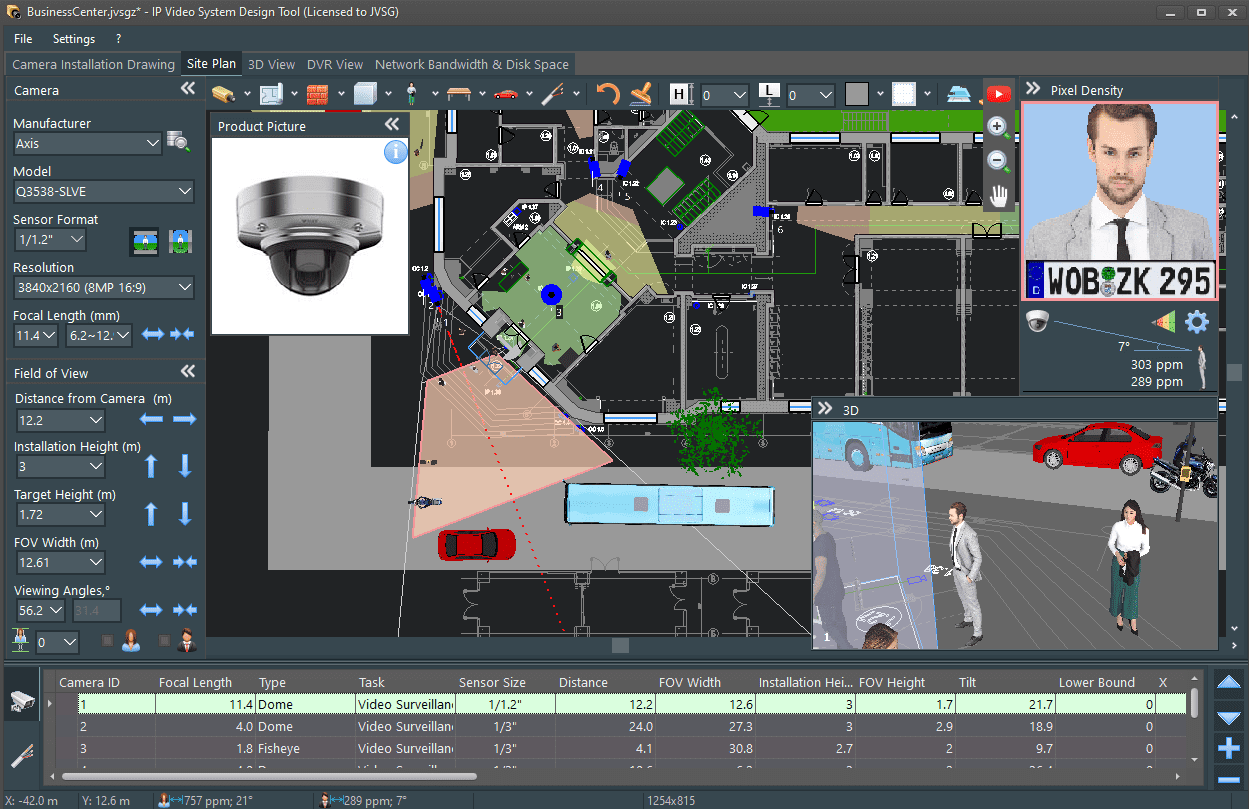
The customer base of IP Video System Design Tool has already crossed the 8,000 mark and it is being used by designers to speed up the design process, ease of documentation and minimize risk of errors.
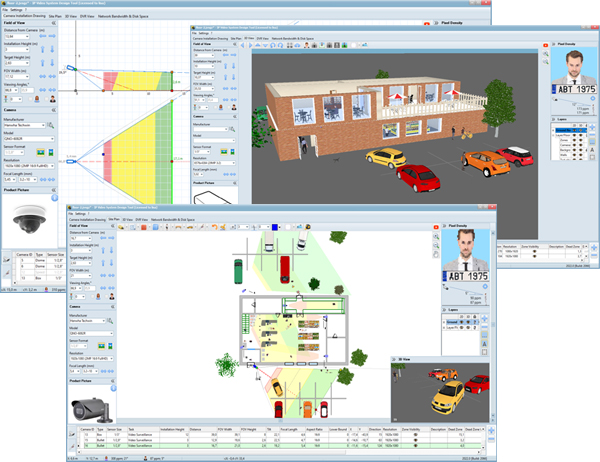


CCTV Design Tool
Are you tired of spending time trying to figure out how to find optimal positions for your CCTV cameras and calculate a field of view, viewing angles and lens focal length? Are you worried that you’re still not doing everything you should to design your video surveillance system? If your answer is Yes, then CCTV Design Tool is for you. This tool is built specially for people who don’t have time to calculate trigonometry functions but who wants to design a perfect CCTV system. It is an easy but comprehensive tool for CCTV design.
Benefits
- Calculate precise CCTV camera viewing angle and field of view
- Get lens focal length for 3rd-party camera lens in seconds
- Show your customers, friends or colleagues what you will get after CCTV system installation
- Save your work – using Save/Load functions have access to all your last calculations.
For more information, screenshots and download link please visit the main page of our CCTV software.
How CCTV Design Tool works?
- See video tutorials

How to order?
See also: User Comments, CCTV Lens Angle, Modern CCTV Lens Calculation