





IP Video System Design Tool is a software developed for Microsoft Windows.
But versions 2026 Beta, 2025 build 2402 (64-bit), 2025 build 2388 (32-bit) and 2024 build 2292 of our Design Tool have been tested on a MacOS with Parallels Desktop 26 for Mac/20/19/18 (supports Apple Silicon M4, M3, M2, M1 and Intel processors).
If you are using Mac with Apple Silicon M4/M3/M2/M1 processors please install Windows 11 for ARM using Parallels Desktop 26 for Mac.
Then launch Windows 11 for ARM and install IP Video System Design Tool 2025 (build 2402 or newer version) or 32-bit versions of 2025.
Here is a link to download the latest versions.

Running IP Video Sytem Design Tool on Mac OS Sequoia using Parallels Desktop 26 and Windows 11 for ARM
Parallels Desktop for Mac generates a virtual machine platform which allows Windows based programs to run on Mac in a smooth manner, and it has more than 7 million satisfied users globally. https://www.parallels.com
IP Video System Design Tool have been tested on different configurations:
- IP Video System Design Tool version 2025.2.0.2402 (64-bit version) or 2025.0.0.2388 (32-bit)
- Apple MacBook Pro 16 inch, Nov 2024
- CPU: Apple Silicon M4
- OS: MacOS Sequoia 15.3.1 (24D70)
- RAM: 36 GB
- Parallels Desktop 26 for Mac Standard Edition
- Installed Microsoft Windows 11 for ARM using Parallels Desktop
- IP Video System Design Tool version 2022.0.0.2095 or version 11.2
- Apple MacBook Pro 13 M1/8/256
- CPU: Apple Silicon (M1)
- 16 GB RAM
- Parallels Desktop 17 Home
- Installed Microsoft Windows 10 or 11 using Parallels Desktop
- Mac OS X Mojave
- Parallels Desktop 14
- CPU: Intel
- 16 GB RAM
- Graphics card: AMD R9 M370X
- Microsoft Windows 7 Professional 64 bit
After installing the Parallels for Mac, a virtual machine has to be created using internal download function or Windows 11 for ARM ISO installation image.
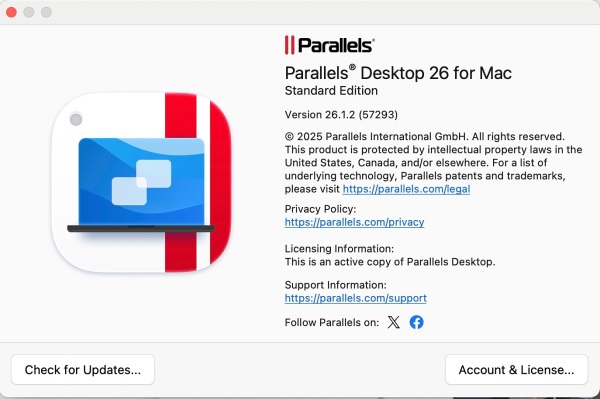
Installing Parallels Desktop 26 for Mac to run IP Video System Design Tool 2025 on MacOS Sequoia
We received reports that earlier versions 2024 or 2022 cannot start on Apple M1/M2+Parallels 17/18+Windows 11. If you experience such a problem please download the latest version 2025 (32 bit), 2024 or 2022.
Graphics: The 2D/3D graphical performance was found to be really good.
Zoom: To zoom the site plan you can use standard MacOS zoom gesture, still it is recommended to use the scroll-wheel mouse instead.
Scroll: In order to scroll the site plan you can use Alt-drag or Alt-arrows.
Copy/Paste: For copying and pasting objects on the site plan, in addition to Windows hotkeys Ctrl-C and Ctrl-V respectively, you can use Mac OS standard hotkeys: Cmd-C & Cmd-V.
Bootcamp
Apart from Parallels Desktop you can run JVSG IP Video System Design Tool on Mac via Boot Camp (Intel processors only), part of Mac OS that enables you to install and run Windows-based applications using a separate disk partition.
Running JVSG software on other virtual machines
IP Video System Design Tool have not been tested on other virtual machines and most likely are not compatible with VMWare nor Virtual Box software. Some users reported that they have got a “Pixel format error 200″ on VMWare Fusion or Virtual Box.
It is advised to use Parallels Desktop to run IP Video System Design Tool on Mac instead.
Lens Calculator
As an alternative to IP Video System Design Tool on Parallels for Mac you can use our unique free online lens calculator with a database of camera models, 3D graphics, DORI zones, and a possibility to import a floor plan.
JVSG online lens calculator is compatible with Mac, PC, iPad, iPhone (!) or Android smartphones.
Launch lens calculator.