




IP Video System Design Tool 2025: The Ultimate Solution for Modern Surveillance Projects
Design Faster. Work Smarter. Impress Your Clients.
The 2025 release of our video surveillance design software incorporates significant enhancements based on user feedback and technological developments. This version introduces several functional improvements that streamline the planning, documentation, and presentation processes for security system designers.
Download 2025 Version:
https://www.jvsg.com/download/2025/IPDesignToolSetup.exe
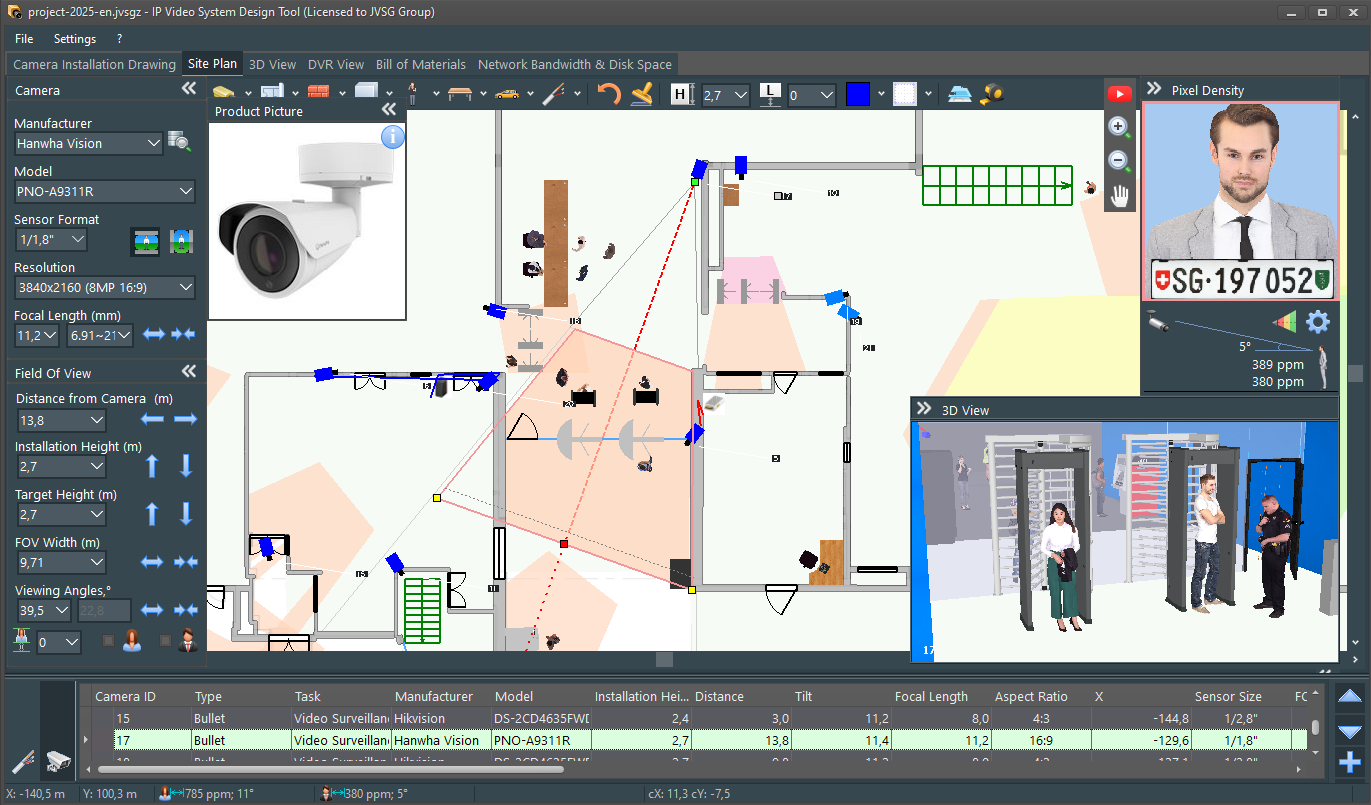
New features of version 2025:
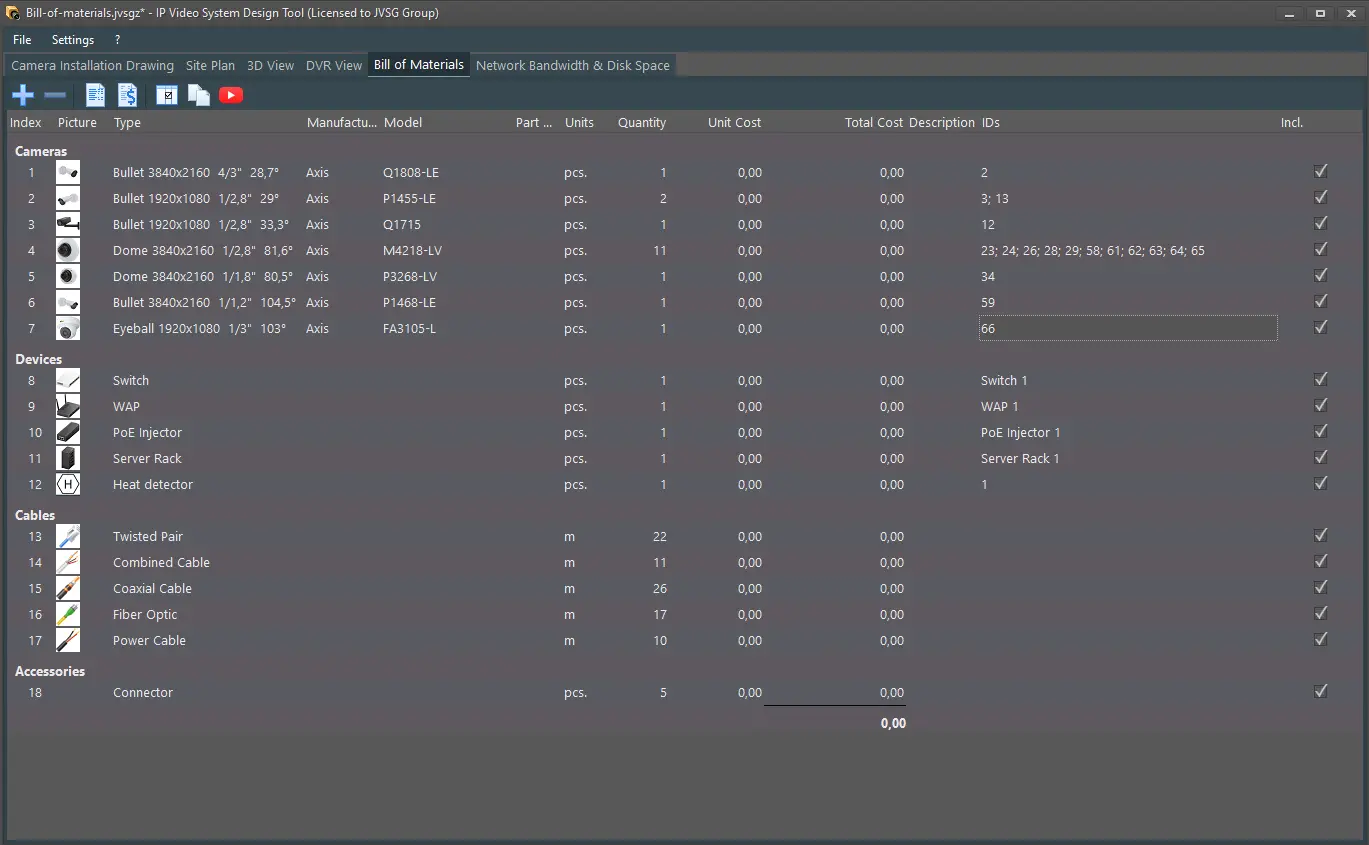
- Automated Bill of Materials (BOM)
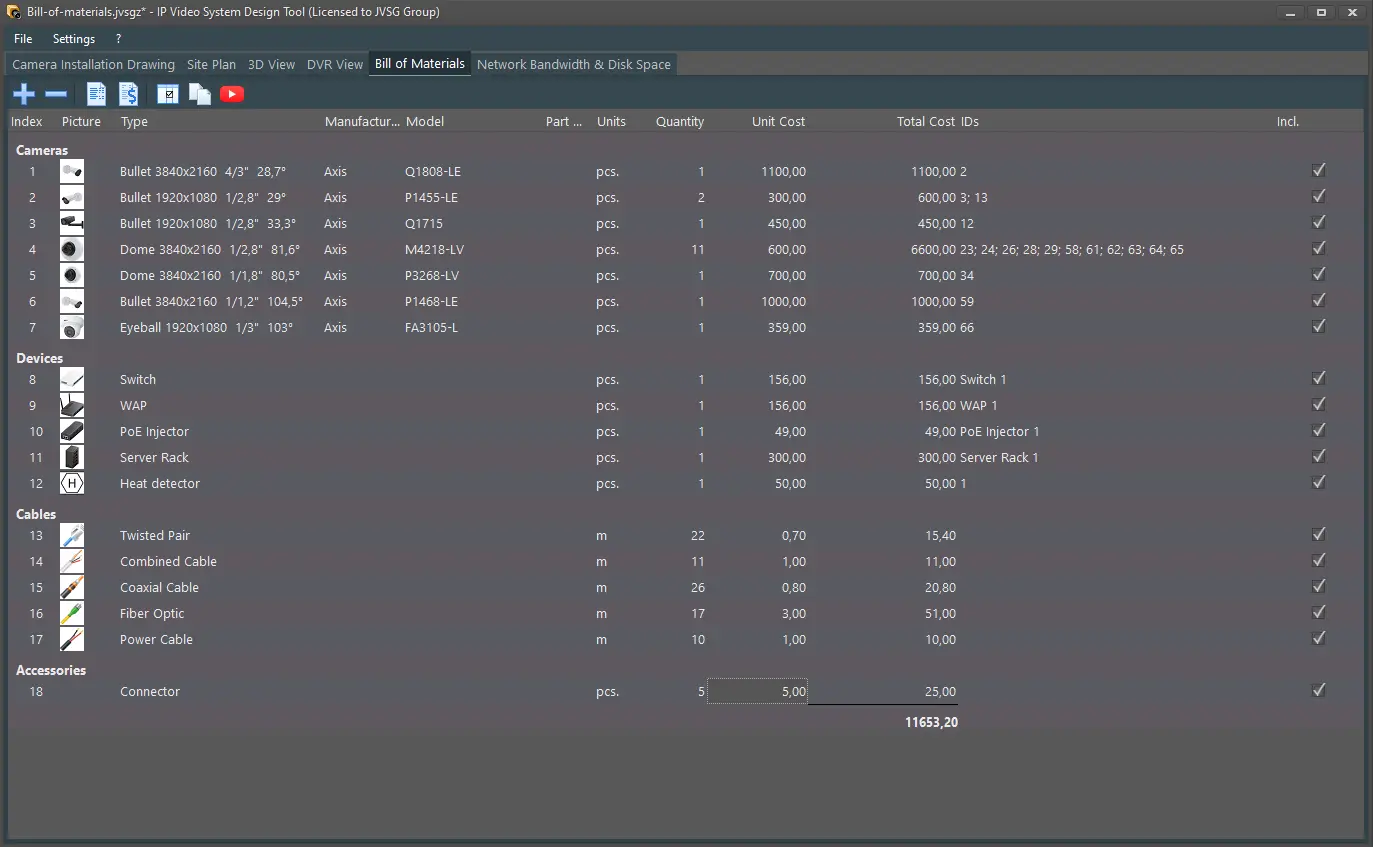
- New “Bill of Materials” Tab: Automatically generates equipment lists (cameras, cables, accessories) and adds them to reports, saving you hours of manual work.
- Group by category for faster procurement and cost tracking.
- Eliminate human errors—let the software handle the tedious work while you focus on what matters.
- Commercial Proposal Generator
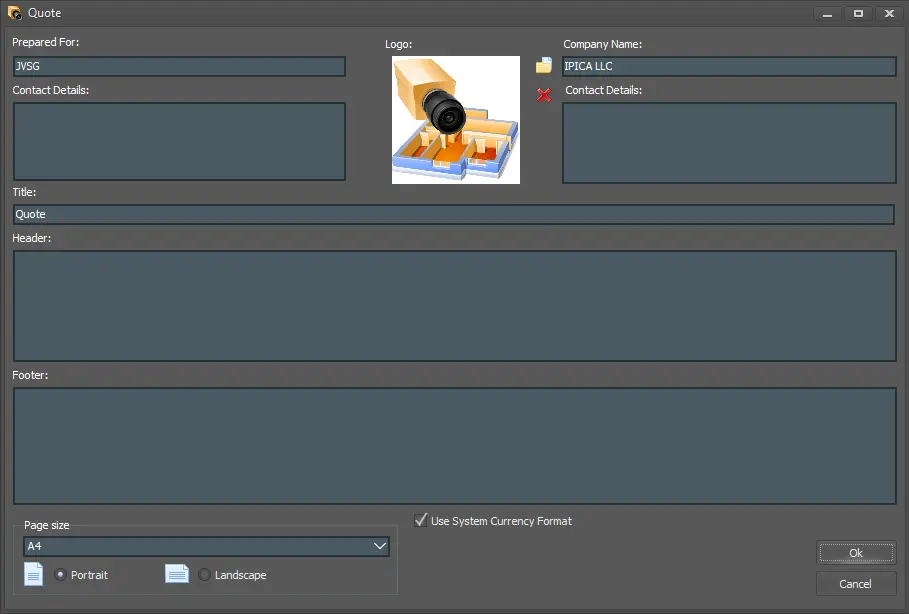
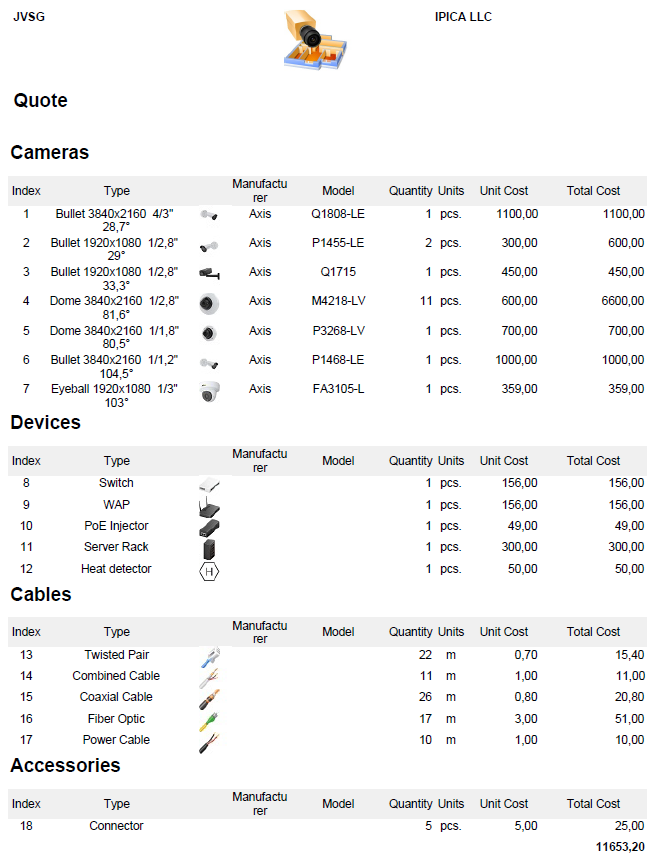
- Set prices directly in the BOM and generate client-ready proposals in minutes.
- Win more bids with polished, professional documentation that sets you apart.
- Minimize errors with direct price syncing from the BOM.
- Export to Excel or copy formatted tables for further editing.
- AutoCAD Export (DWG/DXF/DWF)
- Save camera layouts to AutoCAD formats (requires DWG/DXF/DWF background files).
- Compatible with other CAD/design software.
- Mass Replacement of Camera Models – Change Plans in Seconds!
- Need to swap 50 cameras for a different model? Done in one click.
- Perfect for budget adjustments, inventory changes, or last-minute client requests.
- 64-bit Architecture
- Experience up to 30% faster performance on large projects (warehouses, factories, parking lots).
- Efficient memory usage eliminates “Out of memory” messages.
- Stable performance with large number of cameras.
- Expanded Report Export Formats
- New exports: PowerPoint (.pptx), LibreOffice(.odt) and HTML, apart from Word (.docx), PDF, Excel.
- Present proposals via browser or slideshows without extra software.
- Extended Camera Database (+2,000 Models)
- 18,500+ models from brands like i-Pro, BCS, IDIS, CP PLUS, Ezviz, Jovision, and Safire.
- Includes 2024–2025 releases for modern compliance.
- Support for IEC/EN 62676-4:2025 Standard
- Configurable pixel densities per the 2025 update.
- Accommodates ANPR/facial recognition under moderate motion blur.
- Ensures international regulatory compliance.



Download Now & Transform Your Workflow!
Get the 2025 Version Today:
https://www.jvsg.com/download/2025/IPDesignToolSetup.exe
License keys purchased in 2024–2025 are compatible. You may need to re-enter your key.
IP Video System Design Tool 2025: Design surveillance systems faster and smarter!
Stop struggling with outdated tools. IP Video System Design Tool 2025 gives you the speed, precision, and professionalism you need to dominate the surveillance industry.
Download now and experience the future of surveillance design!
